 CRM Guard
TCPA calling-hour checks for Salesforce
CRM Guard recognizes Salesforce automatically. Turn it on for your Salesforce site with a couple of clicks, and it checks each contact's or lead's local time against federal and state calling rules when you click their phone number, and asks before the call goes out.
What CRM Guard adds
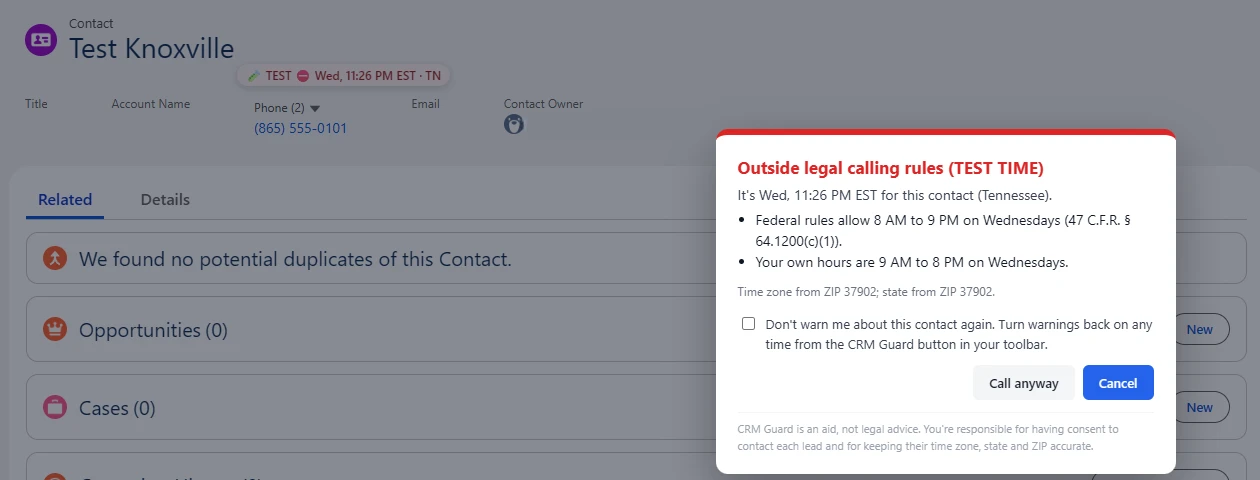
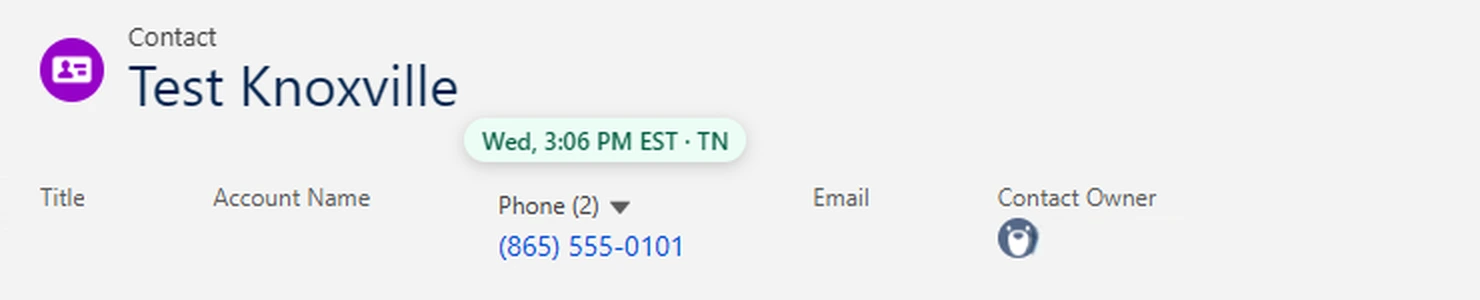
A label next to the phone number at the top of a contact or lead shows their local time and state. It turns red when calling isn't allowed.
When you click the phone number, CRM Guard checks first. If the time is outside the rules, it names the rule and asks you to choose: Call anyway, or Cancel.
It reads the contact's mailing address, or the lead's address, straight from Salesforce. You don't need to open the Details tab or add any fields to the page.
It knows the rules:
- the federal 8 AM to 9 PM window and the states with stricter hours
- Sunday and holiday bans
- declared emergencies in New York and Louisiana
- your own calling hours
Florida, Maryland, Oklahoma and Oregon allow 3 calls to one person in 24 hours. CRM Guard counts the calls you make through it on that computer toward that limit.
When the phone's area code is from a different state than the address, CRM Guard checks both states and uses the stricter answer. When a record has no address, it uses the area code.
What it doesn't do
CRM Guard works in Salesforce Lightning Experience, on contact and lead pages. It checks calls you start by clicking a phone number there. It doesn't check calls you dial by typing into a phone system's dial pad, texts sent through Salesforce add-ons, or dialers and automations that run in the background. It doesn't check consent or Do Not Call lists. It's a compliance aid, not legal advice.
CRM Guard reads the address through Salesforce's own data access for your login. If your Salesforce plan or permissions don't allow that, it reads the address from the page when the Details tab is open, and otherwise uses the phone's area code and says so on the prompt.
Getting started
- Install CRM Guard from the Chrome Web Store and enter your license key.
- Open a Salesforce contact, click the CRM Guard icon, turn it on for this site and click Save. There are no buttons or fields to set up.
- Open any contact or lead. The time label appears next to the phone number.
Using a different CRM? See which CRMs work with CRM Guard.
Want to see the rules first? Look up any state's calling hours.
CRM Guard is made by Wojtek LLC. It isn't affiliated with or endorsed by Salesforce. Salesforce is a trademark of Salesforce, Inc.