 CRM Guard
TCPA calling-hour checks for HubSpot
HubSpot doesn't check calling-hour laws before you call a contact. CRM Guard checks the contact's local time against federal and state rules first, and asks before the call goes out.
What HubSpot does on its own
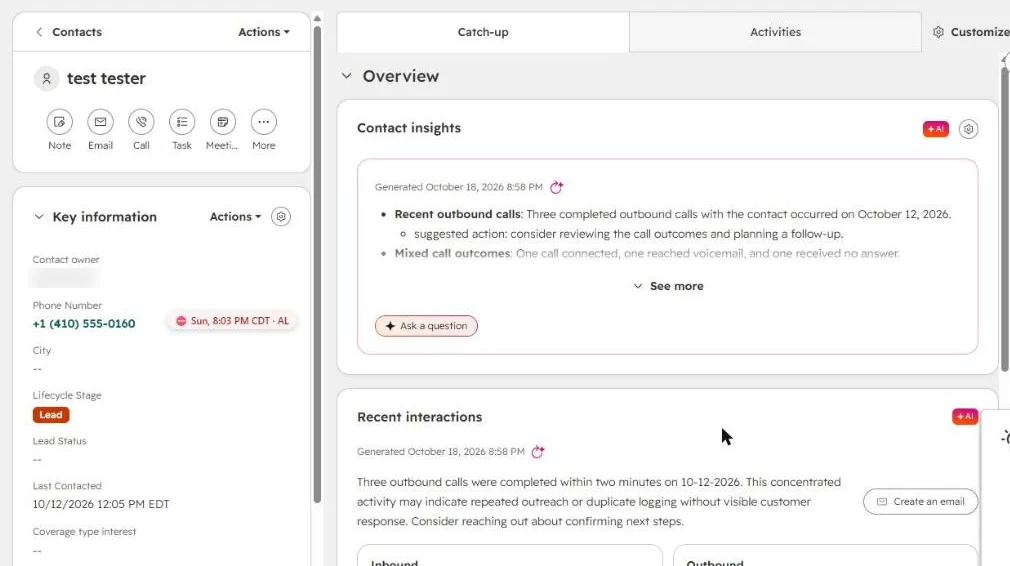
HubSpot keeps a Time zone property on each contact, but it doesn't check calling-hour laws before a call you start from a contact record. HubSpot users have asked for years to see the contact's local time on the record, and there are apps in HubSpot's marketplace just to add it.
What CRM Guard adds
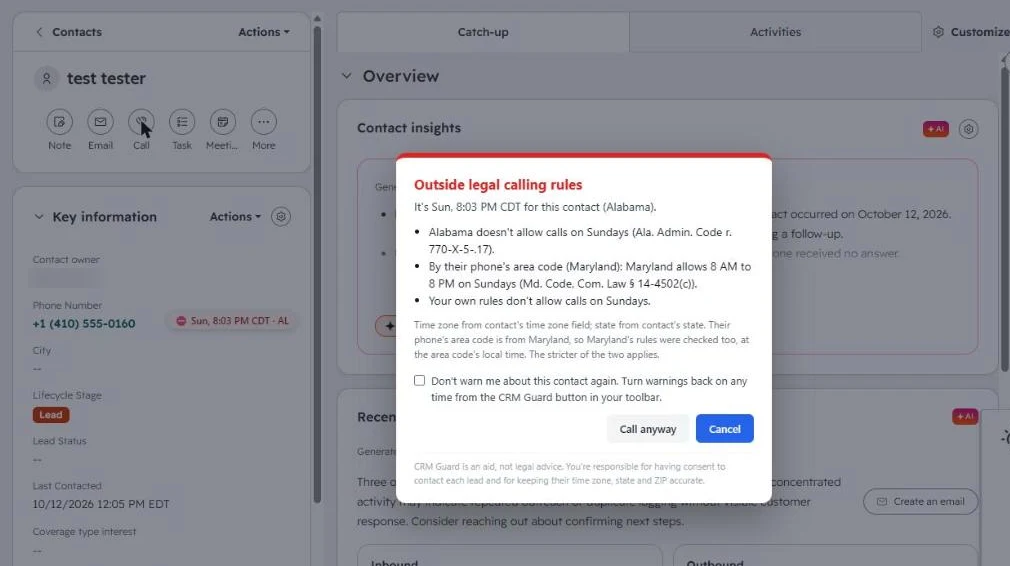
A label next to the phone number shows the contact's local time and state. It turns red when calling isn't allowed.
When you click HubSpot's Call button or a phone number link, CRM Guard checks first. If the time is outside the rules, it names the rule and asks you to choose: Call anyway, or Cancel.
It knows the rules HubSpot doesn't:
- the federal 8 AM to 9 PM window and the states with stricter hours
- Sunday and holiday bans
- declared emergencies in New York and Louisiana
- your own calling hours
Florida, Maryland, Oklahoma and Oregon allow 3 calls to one person in 24 hours. CRM Guard counts the calls in HubSpot's activity timeline toward that limit.
When the phone's area code is from a different state than the contact's address, CRM Guard checks both states and uses the stricter answer, as in the screenshot above.
One setting to change in HubSpot
CRM Guard reads what's on the contact page, and HubSpot hides some of the fields it needs. On any contact, open Key information, then Actions, then Customize properties, and add State/Region, Postal Code and Time zone. You only do this once. Without those fields, CRM Guard falls back to the phone's area code, which is less accurate.
What it doesn't do
CRM Guard checks calls you start by clicking in HubSpot. It doesn't check texts sent from HubSpot yet, and it can't see sequences, workflows or dialers that run in the background. It doesn't check consent or Do Not Call lists. It's a compliance aid, not legal advice.
Getting started
- Install CRM Guard from the Chrome Web Store and enter your license key.
- Add State/Region, Postal Code and Time zone to Key information, as above.
- Open any contact. The time label appears next to the phone number.
Using a different CRM? See which CRMs work with CRM Guard.
Want to see the rules first? Look up any state's calling hours.
Sources: the HubSpot Community requests to show local time on the contact record and to prevent calling outside daytime hours, and the HubSpot marketplace app What time is it?, checked October 2026.